EDCI 335 Blog Post 4 – Interaction

For this post, I explored how video can be used as a tool for interaction in a learning environment. My group’s Interactive Learning Resource is focused on password hashing and security, so I searched YouTube for something that would work well for learners who are new to the topic. I wanted something visual, beginner-friendly, and engaging enough to spark some thinking beyond just watching.


What kind of interaction does the video require from learners?

The video does not force a response from learners in the way a quiz would. It is more of what Bates describes as a medium that depends on designed or learner-generated interaction rather than anything inherently built in. A learner could easily watch it passively without engaging at all, which is a real limitation worth keeping in mind.


How might learners respond on their own?

The video opens by talking about real data breaches, which makes the content feel personal and urgent. Most learners would naturally pause and reflect on their own password habits while watching. They might mentally check whether they reuse passwords or jot down questions they want to look up.


What follow-up activity would you suggest, and what technology would learners use?

I would have learners write a short blog post explaining in their own words what would happen to users if a company stored passwords in plain text instead of hashing them. This moves learners from watching to actually applying and analyzing what they learned, which is the kind of higher-order thinking Bates says often needs more than a video alone.


How would learners get feedback?

Peer commenting works well here. Learners read each other’s explanations and flag anything that seems off or incomplete. This is manageable and scales fine in a larger class.


How could the video be redesigned for better interaction?

I would add a few pause points with reflection questions built in, something like “what do you think happens to your password when you log in?” before the answer is revealed. That would push the interaction from learner-generated to more of a designed level and keep people actively thinking rather than just watching.


References

Bates, A. W. (2022). Teaching in a digital age (3rd ed.). BCcampus. https://teachonline.ca/teaching-in-a-digital-age

Simply Explained. (2018, April 3). Passwords & hash functions (Simply Explained) [Video]. YouTube. https://www.youtube.com/watch?v=cczlpiiu42M
Daily Create 4 – Video

DS106 Daily Create #tdc4435 – The 1 Take Tongue Twister

Today’s challenge was to recite a tongue twister in one take — no redos, honor system.

The twister: Luke Luck likes lakes. Sounds simple until you actually try to say it out loud fast. One take, no editing, whatever comes out is what you get.

Here’s my attempt!

https://go.screenpal.com/watch/cO1QqmnuZYW


DS106 Daily Create #tdc4970 – Make the Internet That Much Nicer

Today’s challenge was to add a little positivity to the internet. Simple enough.

The internet can be a rough place, so here’s a small reminder that you’ve got this.

https://go.screenpal.com/watch/cO1QqLnuZ3U


DS106 Daily Create #tdc5249 – Something Unusual During Your Walk?

Today’s challenge was to go on a nature walk and find something unusual to film.

I came across a new trail in a neighborhood I hadn’t explored before. Nothing dramatic — just some plants, nature, and a quiet path I didn’t know existed. Sometimes the unusual thing is just stumbling onto somewhere new and realizing how chill it is.

https://go.screenpal.com/watch/cO1QY3nuZOA

Daily Create 3 – Image

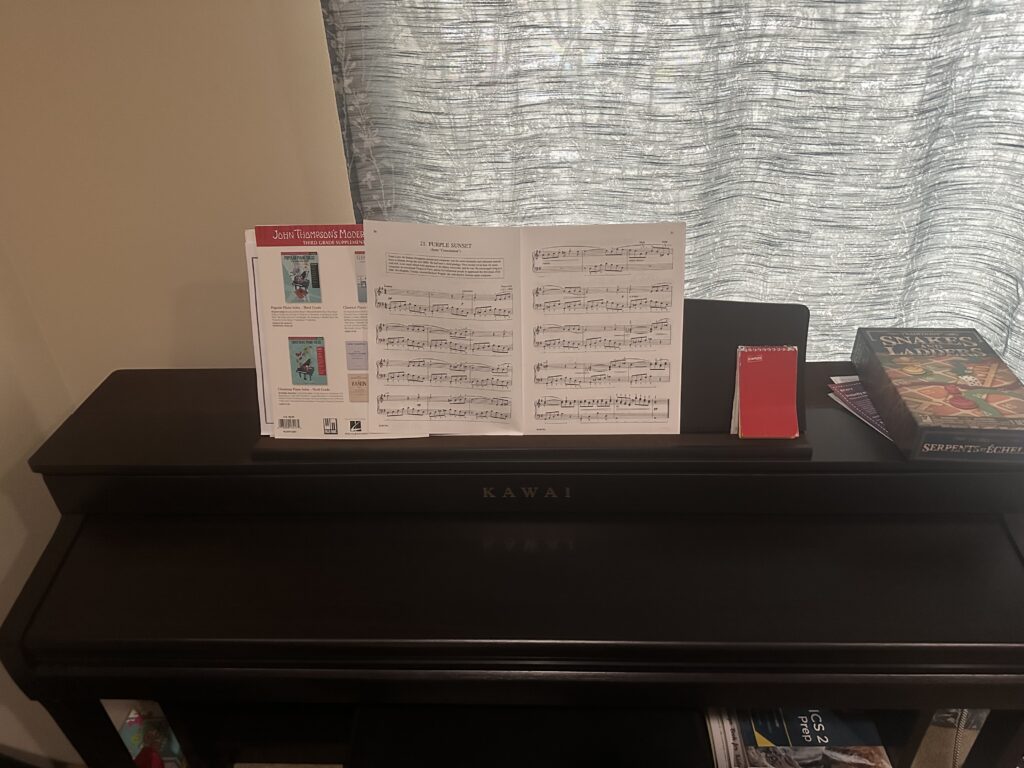
DS106 Daily Create #tdc5143 – Meaningful Object

The object I chose is my piano.

It’s the one thing I keep coming back to no matter how busy life gets. I’ve performed at high school talent shows and even at Victoria’s Got Talent at UVic — but most of the time it’s not about performing, it’s just about having something that’s purely mine outside of school and work. No debugging, no deadlines, just playing.


DS106 Daily Create #tdc5148 – One Tree

Today’s challenge was simple: find one special lone tree and photograph it.

I spotted this one and it stood out — something about a single tree on its own just looks different


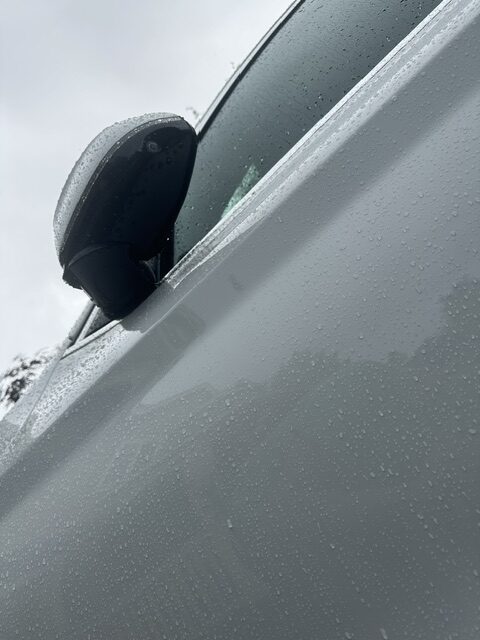
DS106 Daily Create #tdc5134 – Car from an Unusual Perspective

The prompt asked for a photo of your car from an unusual perspective — bonus points if your reflection shows up in the chrome.

I went low and shot straight up the side of the car on a rainy day. The water droplets covering the whole frame ended up being the best part — didn’t plan that, just good timing with the weather.


This week’s Daily Creates were all visual, which felt more natural than audio. The meaningful object prompt was the most personal as choosing my piano made sense since it exists completely outside of school and work. The lone tree shot was straightforward but made me slow down and actually look at my surroundings. The car photo was the most fun as the rain droplets were unplanned but ended up making the shot.

Daily Recreate 2 – Audio

DS106 Daily Create #tdc5142 – Pronounce This

Today’s challenge: attempt to pronounce one of the longest words in English — floccinaucinihilipilification .

The word means “the act of estimating something as worthless.” Ironic that such a long, impressive-sounding word means exactly that.

I gave it my best shot, cold, no prep, before looking up the official pronunciation.

https://voca.ro/15gGd6G6j1fE


DS106 Daily Create #tdc5123 – Poetry Reading

Today’s challenge was to find a poem you love, memorize it, and recite it.

I decided to write my own. As a CS student, I spend most of my time thinking in code, so it felt natural to write something about that experience — the frustration of a bug, the satisfaction when it finally runs.

Here’s the poem:

Lines of Code

I write in languages no one speaks aloud, Where logic blooms and errors cry out loud. A semicolon missed, the whole world breaks — But when it runs, that’s all it takes.

https://voca.ro/11u2QNApervU


DS106 Daily Create #tdc5122 – Record a Sound Related to Your Dream Jo

https://vocaroo.com/1h4tG60Vhp5U


Reflection

This week’s Daily Creates were all audio-based, which was a refreshing change. The dream job sounded fun because it forced me to show rather than tell. The poetry reading pushed me to write something original, which I wasn’t expecting. And attempting to pronounce floccinaucinihilipilification cold with no prep was fun. Working with audio made these feel more personal

EDCI 335 Blog Post 3 – Prompt 6: Where Do You See the Idea of the Average Learner Shaping Educational Design?

If you’ve ever sat through a course that felt like it wasn’t designed with you in mind, you’re not imagining it. Most educational design quietly assumes there’s a “typical” student on the other end. Someone who absorbs information from a lecture, meets every deadline without issue, and does well on a written exam. That assumption shows up everywhere, and most of the time, nobody questions it.

You see it in how courses are assessed. One exam at the end, one submission format, one way to show what you know. That doesn’t work for everyone. Some people freeze up on timed tests. Some express what they know way better through doing something than writing about it. Some are dealing with things outside of school that affect how and when they can engage. Designing around one type of learner means everyone else is just expected to adapt.

The more interesting shift is to ask what happens when we treat variability as the norm rather than the exception. That’s the core idea behind UDL. Rather than adding accommodations as an afterthought, you build flexibility in from the start. For the learning resource my group is working on about password security and hashing, we can’t just drop a block of technical text and call it a lesson. Some people will want a visual, some will want to actually try something a little more different, and others will need the foundational concepts explained before the technical stuff even makes sense.

What I found most useful from the readings this week is that designing for a wider range of learners doesn’t make things easier in a bad way. It just makes things work better overall. Captions help people who aren’t native English speakers. A clear structure helps anyone tired or distracted. Flexible pacing helps people who have a lot going on. Once you stop designing for a stereotypical average student and start designing for real people, the whole thing gets better for everyone.

Reference

CAST. (2018). Universal Design for Learning guidelines version 2.2. http://udlguidelines.cast.org

Comments

Daily Recreate 1 – Text

TDC 1: The Fourth Law of Robotics

What should be the Fourth Law of Robotics?

A robot must be honest about its own limitations and uncertainties and must never present a guess as a fact or in other words, hallucinate

Asimov’s laws cover safety and obedience but say nothing about honesty. At this point, AI systems are answering questions people genuinely rely on, and if the AI confidently makes something up, it can cause real harm without technically injuring anyone.


TDC 2: When Life Gives You Sunshine

Write a poem beginning with “when life gives you sunshine”

When life gives you sunshine, just enjoy it. Stop overthinking, go outside, and be present. Someone somewhere is wishing for exactly what you have right now.

Sunshine doesn’t wait for you to be ready. Maybe that’s the point.


TDC 3: 4 Word Dystopia

Write a 4-word dystopia story.

Charged to breathe today.


Reflection

Going into text week, I thought it would be the easiest since we write every day. Turns out creating something intentional with text is actually pretty hard. The four-word dystopia challenged me the most because every word has to carry weight, which is design thinking in practice.

The sunshine poem showed me that even short writing has structure and a message which ties into storytelling. The Robotics prompt pushed me to form a real opinion, which is active learning.

Open Pedagogies: Why Your Assignments Should Matter Beyond the Grade – Blog post 2

What Is Open Pedagogy?

Most assignments follow the same pattern: write it, submit it, never see it again. Open pedagogy challenges that. Instead of creating work that disappears into a dropbox, learners produce things that live in the real world and actually mean something to someone outside the classroom.

David Wiley describes this through the idea of renewable assignments, work that has value beyond the course. The opposite is a “disposable assignment,” something only your professor ever reads. Open pedagogy shifts learning from private consumption to public contribution. Content is freely shared under Creative Commons licensing, learners have real agency over what they create, and work is published for a real audience rather than just graded.

In technology-mediated environments, specifically, this matters a lot. The tools and platforms we choose are not neutral; hosting something on a public WordPress site versus submitting a PDF to Brightspace sends a completely different message about who the work is for.


How It Aligns With Our Topic

Our group is teaching how passwords are stored, hashing, salting, and digital security. Open pedagogy fits naturally here because digital security literacy benefits everyone, not just students enrolled in a course.

We plan to host resources publicly on WordPress so that anyone can find and learn from them. That is open pedagogy in practice. The way we designed, like the Crack the Hash Challenge using CrackStation.net, also reflects these value, learners experiment with real tools and draw their own conclusions rather than passively absorbing definitions. Choosing free public tools like HaveIBeenPwned instead of paywalled software reinforces openness at every level of the design.


Comments

Reference

Wiley, D. (2013). What is open pedagogy? Iterating toward openness.

https://opencontent.org/blog/archives/2975

Comments

Sneh Duggal – Hello, I enjoyed reading your blog. I had a similar experience with taking PSYCH 100A, an elective class I took. It was a lot of just reading and digesting the course and the professor’s teachings. I would have definitely enjoyed opportunities for interaction type activites in related to learning in the class.


Sneh Duggal – Hey Bryan, really liked how you brought up the balance between too much structure and too little guidance, that’s something I’ve been thinking about with our own design too. The checkpoint idea is a smart way to keep the discovery element alive without leaving learners completely on their own. Also interesting that your pod landed on experiential learning in the end, I can see why it fits better for your topic. Good post!

Multimedia Story Draft – A Walk Through the Park – EDCI 337

For my multimedia story, I’m planning to go for a walk through a local park near Bothell, Washington. The goal is to spend at least an hour outside, slowing down and paying attention to the environment around me — sounds, textures, light, small details I’d normally walk past without thinking twice. The adventure is free, low-risk, and something I can actually enjoy.

The Plan

I’ll bring my phone for photos, short video clips, and voice memo recordings, along with a small notebook to jot things down as I go. Before the actual adventure, I’ll scout the park to identify a few interesting spots, so I’m not wandering when it’s time to record.

Shape of the Story

The tone will be personal and conversational. I want it to feel like I’m inviting someone along rather than writing a report. Drawing from what we’ve covered on storytelling, I want to use the sensory detail — the sound of gravel underfoot, light filtering through trees, the smell of grass — to make the audience feel like they’re actually there. The idea that descriptive language activates corresponding regions in the brain (Chow et al., 2014) made me think carefully about how I narrate this. I don’t just want to show a park. I want someone to feel like they walked through it.


Media Plan

I’m planning to use three media formats:

Photos — Still images capturing the environment at key moments in the story. Wide establishing shots, close-up textures, light and shadow. These will anchor the visual narrative throughout.

Short video clips — 15 to 30 second clips showing movement and atmosphere that photos can’t capture on their own. Wind in trees, sunny areas, ambient life. These will be placed at transition points in the story to maintain momentum.

Audio narration — Recorded in the moment using voice memos on my phone. I’ll narrate my thoughts as I walk, what I’m noticing, what I’m deciding, what catches my attention. Recording in the moment rather than after the fact will keep it authentic.


Connection to Mayer’s Principles

Here’s how I’m intentionally applying Mayer’s Principles of Multimedia Learning to this project:

Modality — Rather than writing long captions under every photo, I’ll pair audio narration directly with visuals. This uses both the verbal and visual processing channels at the same time, reducing cognitive load and making the story easier to follow.

Contiguity — My narration and visuals will be matched to the same moment. If I’m describing a specific tree or sound, that content will be on screen at the same time — not before or after. Keeping related content together strengthens the connection for the audience.

Coherence — Every photo, clip, and line of narration needs to earn its place. If something doesn’t move the story forward or add meaningful detail, it gets cut. No filler just because a shot looked cool.

Segmenting — The story will be divided into clear sections: arrival, exploration, and reflection. This gives the audience space to absorb each part before moving to the next rather than being overwhelmed all at once.

Signaling — I’ll use narration and written headings to guide the audience’s attention toward what matters. If something is important, I’ll call it out directly rather than hoping the viewer picks up on it themselves.


Process and Decisions

I chose a local park because it’s accessible, free, and a setting I find genuinely interesting. The challenge I’m anticipating is making something familiar feel worth watching.

The storytelling material in this module made me think about tone and emotional impact. As Maya Angelou said, people remember how you made them feel, not necessarily what you said. That’s the point I’m bringing to this. The goal isn’t just to document a walk. It’s to make someone feel like they were there with me, and take something away from it.

I’ll scout the location this week and begin gathering sample media before putting together the final structure. Challenges I expect to face include getting clean audio outdoors and making editing decisions about what to keep versus cut. I’ll document those decisions as part of my final post.

Why I Quit a Machine Learning Course (And What I Learned From It)

The summer before my third year, I signed up for a deep learning course on Coursera. I was genuinely excited — I had a research co-op coming up and wanted to actually understand what I’d be working on. The first few weeks felt great. The videos were clear, the pace felt manageable, and I was picking things up.

Then week four hit, and everything changed.

The assignments got harder fast, with barely any explanation of what was expected. The only feedback I got was pass or fail — no hints, no guidance, just a score. I’d spend an hour on something, get a fail, and have no idea where I went wrong. The discussion forums were basically empty, so there was no one to even ask. I slowly just… stopped logging in.

Looking back, it makes a lot of sense why I lost motivation. Ertmer and Newby (2013) talk about how learners need to feel competence — like they’re actually growing. When your only feedback is a binary score, that feeling never comes. Self-Determination Theory adds two more pieces: relatedness (feeling connected to people around you) and autonomy (having some say in how you learn). Both were completely missing for me.

Weller (2020) describes connectivism — the idea that real learning happens through networks of people and resources, not just one course in isolation. Funnily enough, I actually did end up learning the material — just not from that course. I switched to fast.ai, read papers, and talked through concepts with grad students at my lab. Messier, but way more effective.

If that Coursera course had included even simple things — peer discussion, flexible projects, links to active communities — I think I would have finished it. Motivation isn’t just willpower. It’s built into the design.


References

Ertmer, P. A., & Newby, T. J. (2013). Behaviorism, cognitivism, constructivism. Performance Improvement Quarterly, 26(2), 43–71. https://pressbooks.pub/lidtfoundations/chapter/behaviorism-cognitivism-constructivism/

Weller, M. (2020). 25 years of ed tech. AU Press. https://aulasvirtuales.wordpress.com/wp-content/uploads/2014/02/25-years-of-ed-tech-by-martin-weller.pdf